Ask a simple question in most organisations: who has administrator access to the HR system, who approved it, and when does it end? The answer usually involves three people, two mailboxes and a spreadsheet. Auditors ask this question. So should your CISO.
Access is a lifecycle, not a ticket
Most companies handle the request well enough. The trouble starts after approval. Access is granted, nobody records why, nobody sets an end date, and nobody looks at it again until an audit. People change jobs and keep their old access. Leavers keep theirs until someone remembers. Access is added directly in a system and never appears in any register.
A quick start, not a product
We deliver identity and access management as a scoped application in your own ServiceNow instance. It is not a product you buy. It is a quick start service: we configure the application around your systems, roles, owners and rules, run it with your first applications, and leave you with a working process you can extend.
A scoped application keeps everything in its own space, separate from the rest of your configuration. And because it runs where your people already work, there is no new portal to learn.
One lifecycle, from request to removal
Requests come with context. Employees use one form to request, extend or remove access. The approver sees who is asking, for what, the risk level, the justification, the access the person already has and the full approval chain. For privileged roles the entitlement owner approves after the manager, and the end date is capped automatically.
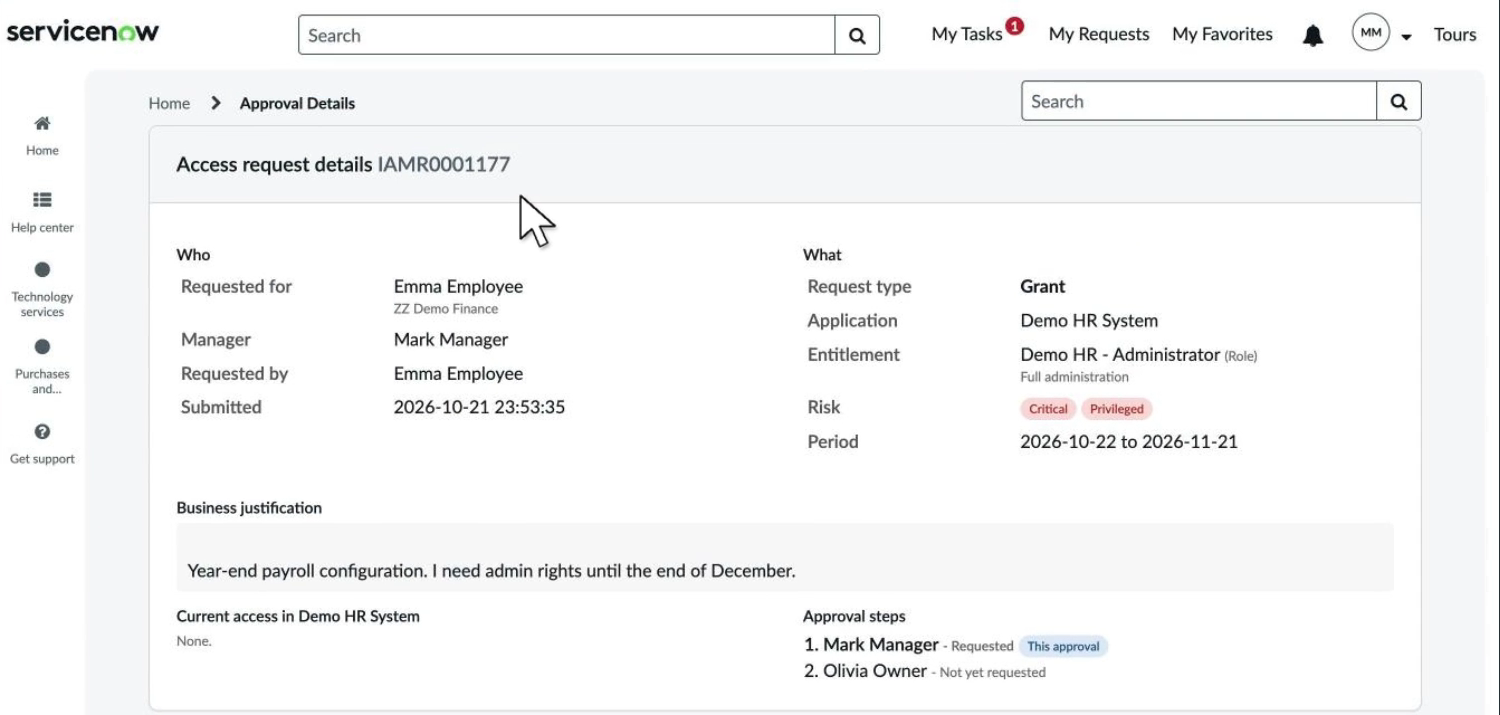
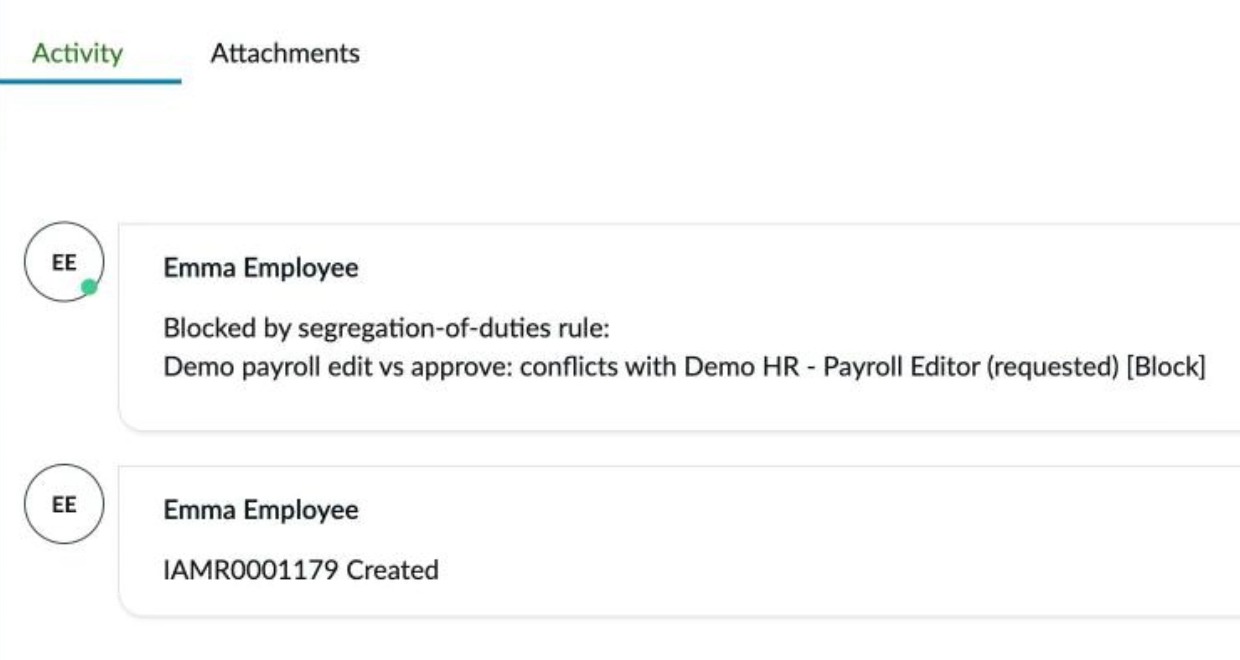
Rules stop conflicts before anyone approves. Ask for payroll approver while holding a request for payroll editor, and the request is blocked at once by a segregation of duties rule. No approver is bothered, and the requester sees which rule applied and why.
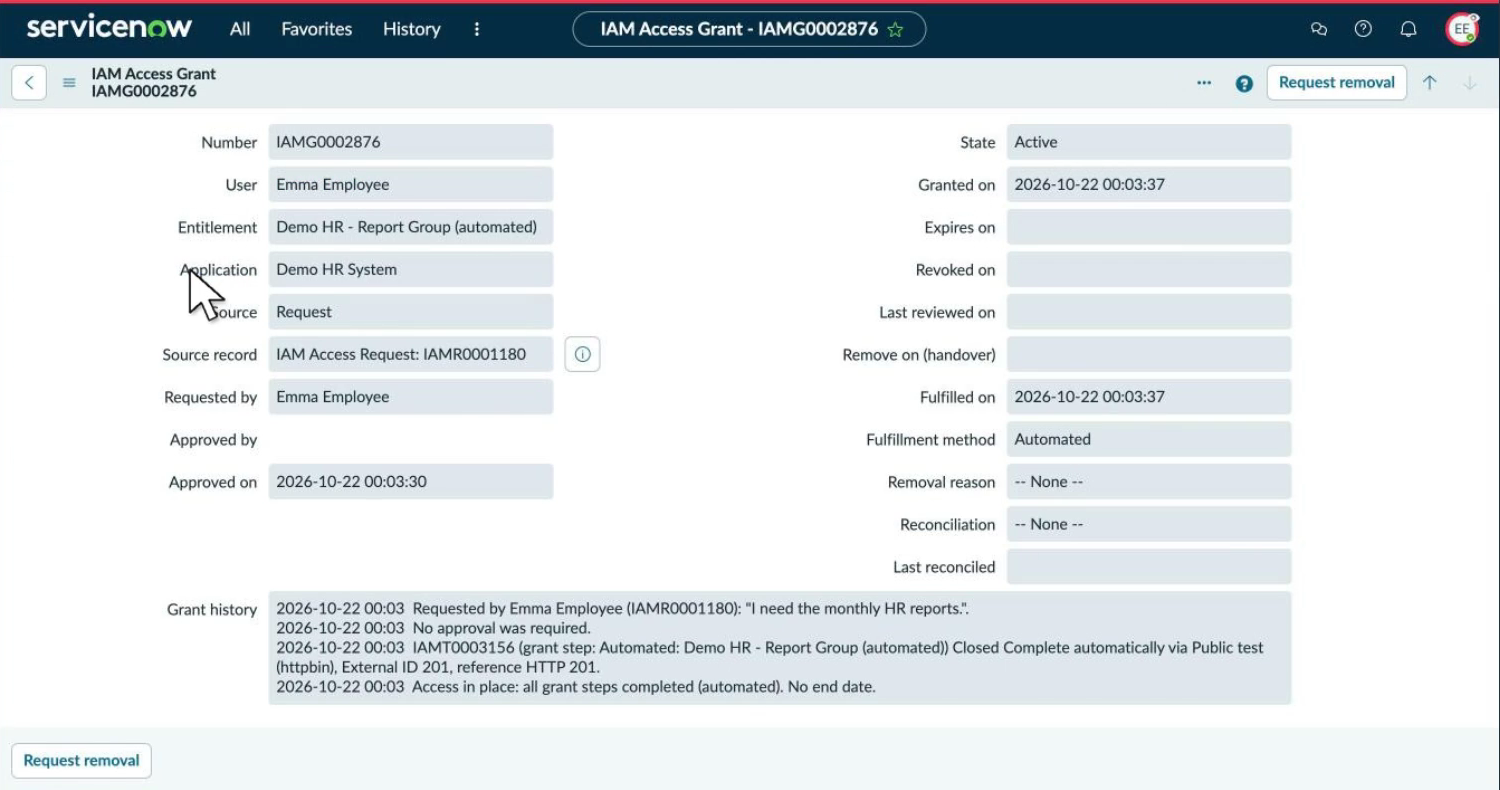
Fulfilment is a connector or a task. Where a system can be connected, access is granted automatically, with or without approval depending on risk. Otherwise the IAM team gets a task that says exactly what to do: which user, which role, which ID, until when and why. Every grant carries its own history.
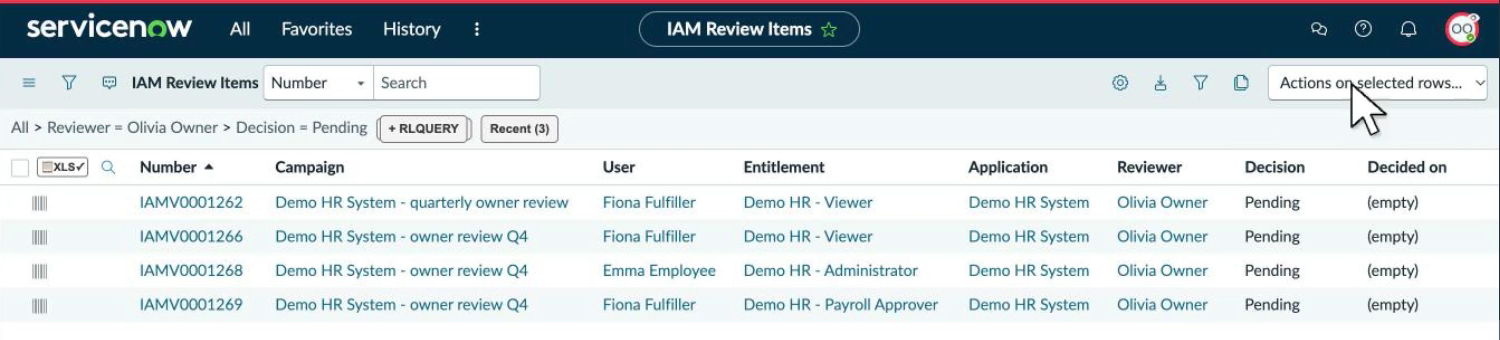
Reviews run themselves. An administrator starts a campaign. One review item is created for every active grant and assigned to the entitlement owner, who certifies or revokes it. A revoke needs a reason and starts the removal automatically, so nobody retypes the decision. Access that nobody vouches for can be removed at the due date.
Roles, movers and leavers. Changing what a business role gives needs the entitlement owner's approval. When someone changes department, a handover period starts and their new manager reviews the access they brought along. When a user is deactivated, all of their access is queued for removal and their open requests are cancelled.
Nothing slips past. Every night the register is compared with the target systems. Access found without a grant is listed as unknown access, and the administrator either accepts it, which records a grant that is then reviewed, or removes it.
Every piece of access is requested, approved, given, reviewed and removed through the same records.
The questions an auditor asks, answered in one place
| Question | Where the answer lives |
|---|---|
| Who has access to this system? | Active grants per application |
| Who approved it, and why? | The request and the grant history |
| When does it end? | The expiry date on the grant |
| When was it last reviewed? | The last reviewed date and the review decision |
| What happens when someone moves or leaves? | Mover and leaver events, with the resulting removals |
| Is there access we do not know about? | The unknown access list |
Why run it on ServiceNow
Many organisations already run ServiceNow for IT, HR or customer workflows. The approvals, tasks, notifications, employee portal and user data are already there. A quick start builds on that instead of adding a separate suite to buy, integrate and train people on, and it lets you prove the value on a few applications before deciding how far to go.
It governs who should have access. It does not replace your identity provider or single sign-on. And who can see which data inside ServiceNow itself is a separate question, which we cover in our post on access control.
Start with a few applications. Get one process and one register working. Then extend.
A quick start proves the model on the access that matters most, with real approvals, real reviews and a history you can show.
What a quick start looks like
- A short workshop: which applications come first, who owns each role, which access is privileged, and which combinations must never be allowed together.
- Configuration: entitlements, owners, approval rules and conflict rules set up in your instance.
- Fulfilment: connectors where automation pays off, and clear tasks for the IAM team where it does not.
- A first review campaign: so the owners of your most important access confirm who should still have it.
As an independent advisor, we have no commercial relationship with ServiceNow.
Do you know who has access to what?
A quick start is the fastest way to find out, and to keep it that way. Let's talk about which applications to start with.
Speak with us